FAQ

FAQ

What features do your products offer?

What are the differences in your Offce and Service Provider products?

What are my choices of IP phones or devices?

What are the hardware requirements to run your products?

What are your VCRM features?

Vidanetwork Office Products: Sample Features

Vidanetwork phone systems are loaded with features that small businesses need and big businesses take for granted, including features that cost extra on other IP PBX systems. And unlike phone company services such as voicemail or call forwarding, with a VIDAnetwork phone system, you don't pay extra every month!

Feature Description
Auto Attendants Greet callers with recorded messages that offer touchtone choices and connect callers to extensions. It's like having your own receptionist 24 hours a day. There are 9 levels of auto attendant, so you can offer multiple options for callers.
Voicemail Built-in voicemail saves you paying monthly for phone company voicemail, and it's centralized, so you don't have to check different mailboxes for cell and office phones. You can also have your voicemail sent to you by email that including the voicemail in an audio file.
Remote Extensions Any phone, anywhere, can be added as an extension of the system. Integrate mobile and teleworkers, stay connected anywhere, and give your customers a single number to contact you.
External IP Extensions Plug a SIP phone into your network at home or any other location and it functions just like the extensions in the office. Great for teleworkers or for keeping connected to your business when you're at home or on the road.
Expandable From 1 to 1000s of users,  grow when you grow.  1 line at a time.
Phone Freedom Works with industry standard SIP phones, standard analog telephones and selected IP soft phones. Get the phones you want to meet everyone’s needs.  Mix and match, it’s your choice!
Dial-By-Name Directory Callers can select an extension by dialing the name of the person they want to reach.
Voicemail to E-mail Receive e-mail notification of new voicemails, with  the message attached as an audio file.  Stay in-touch everywhere with one unified inbox for calls and email messages.
Call Cascade If your extension is busy, not answered, screened, or on do not disturb, calls can ring a sequence of other extensions or ring groups before sending the caller to voicemail.
Ring Groups Send calls to all local extensions in a department. Ring more than one extension simultaneously and use different ring patterns to identify types of calls.
Call Queue/ACD If an extension or ring group is busy, the caller gets the option to leave a message, remain on hold, or return to the auto attendant. At your extension, you get notified of queued inbound calls.
Automatic Route Selection Automatically send certain kinds of outgoing calls through specific phone lines. All long-distance calls, for example, can use a specific line or group of lines.
Toll Restriction Prevent unauthorized long-distance calling from any extension.
Call Detail Record Logging Assign accounts to calls and track length of calls for billing of professional services.
Line Appearance See which lines are available or in use, right on your SIP phone or soft phone. Customize which lines to view for each extension.
Busy Lamp Field/BLF See who is on the phone or available to receive calls with the use of BLF enabled SIP phones.  Great for receptionists and companies that answer calls live instead of routing everything through the auto-attendant.
Call Forward Send calls to any other local or remote extension, to a ring group, or voice mailbox.
Auto Fax Detection Automatically route faxes without wasting money on a dedicated fax line (customization needed).
3-way calling Connect up to 3 parties on one phone call.
Conference Bridge Dedicated conference room to hold conference for up to 100 people
Remote Workers Use a SIP phone or soft-phone and get access to all the same features you have in the office.  You are an extension of the system anywhere you have broadband internet access.  At your home, across the country or around the globe.
Day, Night and Holiday Scheduling Handle incoming calls differently at different times of the day, days of the week and on holidays. Professionally handle calls during and after regular business hours.
Call Hold Transfer/Park Hold calls. Transfer calls to local or remote extensions, ring groups, or voicemail.
Call Screening Records a caller's name, then plays it to the recipient, who can accept or redirect the call.
Intercom Place calls from one extension to another by dialing 3 or 4 digits
Call pickup Pick up calls from other extensions.
Hosted Audio Conference Bridge Need ten people on a last-minute conference call? Vidanetwork offers a Global Conference service that will pull together the people you need, when you need them. With Global Conference you don’t need to buy a dedicated conference bridge and associated lines for your IP-PBX.
Public Announcement Connect to a PA system, or make announcements through the speakers of selected SIP telephones.
Remote Management Change configuration of the system remotely.  Three levels: Super-user, Admin and individual user.
DID Support By-pass the auto-attendant and get callers directly to the intended extension or department by subscribing to DID service from your Service Provider

Vidanetwork Products Comparison

Features

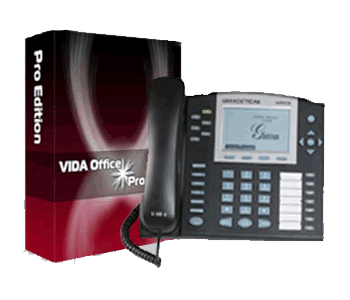
VOffice Pro

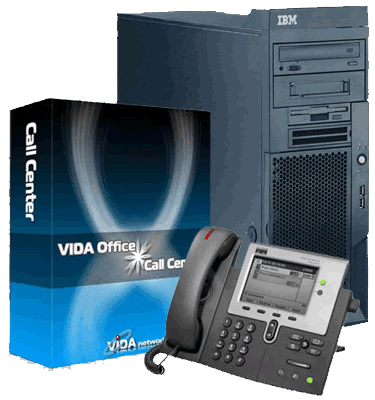
VCenter
VCloud
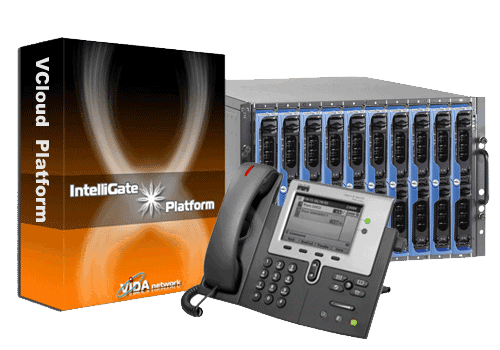
VCloud Platform

 Recommended Hardware Dell compatible PC Dell servers Dell blade servers
 Platform Requirements Linux, Apache, Mysql, and PHP Linux, Apache, Mysql, and PHP Linux, Apache, Mysql, PHP and Java
 Recommended Applications Office phone system with < 500 employees Call centers with < 500 seats Service providers
 Protocols SIP, PSTN PRI SIP, PSTN PRI SIP, PSTN PRI, SS7
 Business Telephony (IP-PBX features)
√ (included)
√ (included)
√ (included)
 Web based super user graphic interface
 Web based PBX administrator interface
 Web based end user portal
 Call flow editor and generator
 CDR analysis and report utilities
 VOIP trunking (SIP origination/termination)
 ISDN connectivity (T1, E1, BRI)
 Analog connectivity (FXS and/or FXO)
 Voicemail to email and online retrieving
 Conference and Web admin portal
 Multiple languages (English, Chinese etc)
 DID (phone number) management
 Graphic IVR menu editor for PBX admin
 Call routing based on date & time
 (holidays and working hours)
 Conference Bridge
√ (optional)
√ (optional)
√ (optional)
 Fax to email and online retrieval
√ (optional)
√ (optional)
√ (optional)
 Operator console
√ (optional)
√ (optional)
√ (optional)
 CRM integration
√ (optional)
√ (optional)
 Advanced queuing and recording
 Agent / Queue statistic and reports
 Multiple Hosted Virtual PBXes:
 (IP Centrex for multiple businesses)
√ (optional)
√ (optional)
 Virtual Call Center
√ (optional)
 High Availability (redundancy)
√ (optional)
√ (optional)
√ (optional)
 Pro-active monitoring & Backup
 Billing system : Post-pay, pre-pay,
 monthly flat rate with bucket minutes
 Multiple billing plans
 Corporate billing (account bundling)
 Calling Card application
√ (optional)
 Reseller billing
√ (optional)
 Online payments and statements
 Online payments
√ (optional)
 Installation Support
 Customization Project Management
√ (optional)
√ (optional)
√ (optional)
 Hosted in the Cloud(SAAS)
Inter-connect with VCloud

Hardware Support

Vidanetwork’s IP- PBX/ Call Center software is designed for small to medium sized business environments and run on industry standard CentOS 5.4 Linux platforms.

Our IP-PBX software is fully compatible with our Call Center software which in-turn is compatible with our VCloud solution allowing for a seamless upgrade path as your needs change.

All solutions run on standard (x86) hardware such as DELL, HP or IBM towers and servers.

Minimum Recommended Hardware Requirements:

    Minimum requirements: 1Ghz CPU, 1GB RAM, 10GB disk.

    50+ concurrent calls: Single Pentium 4 CPU, 2GB RAM, 80GB disk

    250 concurrent calls: Single Dual core high end CPU or Dual CPUs, 2GB RAM, 250GB disk

    500+ concurrent calls: Dual Quad-core CPUs, 4GB RAM, 500GB disk


Choice of Phones or Devices

You have the choice of your own phones or devices. Vidanetwork products support virtually any SIP 2.0 compliant phones as well as analog devices.

For systems wanting to take advantage of Phone Book and BLF capabilities Vidanetwork recommends the Grandstream line of SIP devices.

Vidanetwork is happy to assist you with sourcing your hardware or you are welcome to purchase your equipment through your vendor of choice.

Contact us and we’ll supply a detailed hardware and software quote to meet your specific business needs.


Vidanetwork VCRM - Features

Sales Force Automation Customer Support & Service Marketing Automation
Lead Management Trouble Tickets Campaign Management
Account & Contact Management Knowledge Base Mass Mailing
Opportunity Management Customer Self Service E-mail Templates
Sales Quotes Online Knowledge Base Mail Merge Templates
     
Inventory Management Activity Management Productivity Add-ons
Products Catalog To Dos, Meetings & Calls Email Client
Price Books Recurring Events Outlook Plug-in
Vendor Management Shared Calendar Office Plug-in
Purchase Orders Activity History Thunderbird Extension
Sales Orders E-mail Notifications Customer Portal
Invoices Notes RSS Feeds
     
Reports & Dashboards Product Customization Security Management
Key Metrics Custom Fields (10 different data objects) User Management
Customizable Reports Pick Lists Profiles
20 Pre-built Reports Custom List Views Roles
20 Pre-built Dashboards Drag & Drop Modules Groups
Report Folders Currency customization Organization-level Access Control

Sales Force Automation

Sales Force Automation (SFA) is an important VCRM function that streamlines and enhances the operations of your sales team. SFA includes the key activities needed by your sales team including Lead Management, Opportunity Management, Account & Contact Management, Sales Pipeline Management, Sales Forecasting, Sales Analytics, and others.

Key Modules

Vidanetwork VCRM supports a number of different aspects of Sales Force Automation.

  • Lead Management
  • Opportunity Management
  • Account Management
  • Contact Management
  • Activity Management
  • Reports & Dashboards

Lead Management

Sales leads are a vital resource for sales and Vidanetwork VCRM offers sales teams a full range of lead management functions.

  • Manage leads end-to-end (from creating leads to converting them into opportunities)
  • Capture leads directly from your Web site and transfer to Vidanetwork VCRM
  • Customize online lead form as per your organization requirements
  • Import leads from external sources, such as Web downloads, trade shows, seminars, direct mail, and other types of campaigns
  • Add multiple products to the leads
  • Qualify leads to next stage based on information captured in lead details
  • Convert leads into sales opportunities, accounts, and contacts with a single-click
  • Lead conversion mapping for all the custom fields
  • Create fully customizable lead reports
  • Export leads for further analysis

Opportunity Management

Opportunity Management is another important sales function covered by Vidanetwork VCRM.  Opportunities are labeled Potentials in Vidanetwork VCRM.  Vidanetwork includes the following features for Opportunity Management:

  • Track all sales opportunities end-to-end in a sales cycle
  • Associate opportunities with accounts, contacts, activities, and other modules to have a better visibility on the opportunities
  • Generate quotes, sales orders, and invoices from the potentials
  • Create fully customizable opportunity reports
  • Export opportunities to spreadsheet software, such as Microsoft® Excel®, OpenOffice® and others to analyze the sales pipeline and quickly identify the bottlenecks if any

Account Management

  • Track all accounts and related contacts, opportunities, cases, and other details from a common repository
  • Specify parent-child relationships between accounts and their subsidiaries or other divisions
  • Import accounts from external sources, such as ACT, GoldMine, and other applications
  • Generate quotes, sales orders, and invoices for the accounts
  • Track purchase history of the customers and analyze opportunities for up selling and cross selling
  • Create fully customizable account reports
  • Export accounts to spreadsheet software, such as Microsoft® Excel®, OpenOffice®, and others to analyze the buying patterns of a customers and set up loyalty programs
  • Attach customer-specific documents to accounts for a quick reference in future

Contact Management

  • Track all contacts and related opportunities, cases, activities, and other details from a common repository
  • Create the hierarchy of contacts within a company to have a better coordination while dealing with customers
  • Import contacts from external sources, such as ACT, GoldMine, and other applications
  • Export contacts to spreadsheet software, such as Microsoft® Excel®, OpenOffice®, and others for further analysis
  • Synchronize contacts with Microsoft® Outlook®

Activity Management

  • Add all important customer-related e-mails to Vidanetwork VCRM for quick reference in future
  • Store all the details of customer meetings and calls in a n intuitive calendar
  • Manage daily tasks of the Vidanetwork VCRM users to have a streamlined sales process

Reports & Dashboards

  • Pre-build reports for sales force automation
  • Sales pipeline analysis by stage
  • Monthly Sales pipeline analysis
  • Sales opportunities by lead source

Drill-down the dashboards by time and opportunity stage

VCRM Inventory Management

Vidanetwork VCRM extends beyond traditional VCRM to provide a complete sales cycle management by integrating Inventory Management functions, such as Products, Price Books, Vendors, Sales Quotes, Purchase Orders, Sales Orders, and Invoices with VCRM modules, such as Leads, Accounts & Contacts, and Opportunities. Using Vidanetwork VCRM you can achieve the seamless integration between pre-sales and post-sales activities in a single application.

Key Modules

  • Products Management
  • Sales Quotes
  • Order Management
  • Invoices

Products Management

  • Manage organization-wide products
  • Associate products with other modules for a better 360 degrees view
  • Import product details from other applications 
  • Create custom product fields as per your organization's requirements
  • Attach product-specific documents, such as collateral, license agreements, and others
  • Upload product images for easy identification
  • Export product details to spreadsheet software, such as Microsoft® Excel®, OpenOffice®, and others for further analysis
  • Create Price Books as per customer segment and associate products with Price Books
  • Procure products from the selected vendors list

Sales Quotes

  • Track outstanding quotes from the quotes list view
  • Add line items to the quotes and update subtotal, taxes, adjustments, and grand total amounts
  • Select different prices for the same product as per customer segment
  • Create printer-friendly Sales Quotes and deliver to the prospective customers through E-mail  
  • Create Sales Orders or Invoices with a single click from the Sales Quote
  • Avoid duplicate work by dynamically displaying the Billing and Shipping addresses of the prospect
  • Display quotes related to accounts under the related list
  • Customize Sales Quote fields as per your organization's requirements

Order Management

  • Streamline organization-wide procurement and fulfillment processes with integrated approach of Vidanetwork VCRM
  • Track outstanding orders from the orders list view
  • Procure products from the best available Vendors/Manufacturers/Resellers list in Vidanetwork VCRM
  • Manage up-to-date stock position by seamless integration between order fulfillment and available stock in your warehouse
  • Customize Purchase Order (PO) and Sales Order (SO) fields as per your organization requirements
  • Avoid duplicate work by dynamically displaying the Billing and Shipping addresses of the prospect while creating orders
  • Add line items to the Orders and update subtotal, taxes, adjustments, and grand total amounts automatically
  • Create printer-friendly Order (PO/SO) and deliver to the Vendors/Customers through inbuilt E-mail service
  • Once the Sales Order is accepted, create Invoice from Sales Order with a single click
  • Periodically notify the stock position to the parties concerned in your organization so that stock is always available to fulfill the outstanding orders

Invoices

  • Track outstanding invoices from the Invoices list view
  • Create printer-friendly Invoices and deliver to the customers through inbuilt E-mail service
  • Customize Invoice fields as per your organization requirements
  • Add line items to the Invoice and update subtotal, taxes, adjustments, and grand total amounts automatically
  • Customize Invoice fields as per your organization requirements
  • Avoid duplicate work by dynamically displaying the Billing and Shipping addresses of the customer while creating invoices
  • Associate invoices with the General Ledger account for hassle-free Book Keeping

CRM Customer Support & Service

Vidanetwork VCRM provides enterprise quality Customer Support & Service features, such as Ticket Management, Knowledge Management, Customer Self Service Portal, Reports, and Support Statistics specifically useful for your organization's customer support force. You can also use other customer support-related modules, such as Products, Activity Management, Calendar, Contact Management, and so on.

Key Modules

  • Ticket Management
  • Knowledge Base
  • Customer Self Service Portal

Ticket Management

  • Track all trouble tickets related to customers end-to-end as per organization's customer support process
  • Associate trouble tickets with accounts, contacts, products, and other modules to have a better visibility on the trouble tickets
  • Create fully customizable list views as per Support person's requirement
  • Provide solutions to the trouble tickets submitted through Customer Portal
  • Automatically update the status of tickets through E-mail
  • Create fully customizable ticket reports
  • Create customer support statistics to help the managers to plan for a better customer support process.
  • Create custom fields as per your organization requirements

Knowledge Base

  • Manage product-wise Knowledge Base in a centralized location for a better resolution of trouble tickets within least possible time
  • Associate Articles with trouble tickets and products
  • Provide public access to the Knowledge Base only after approval
  • Maintain up-to-date Articles in Vidanetwork VCRM based on customer suggestions & comments

Customer Self Service Portal

  • Fully customizable and you can deploy without hassles in your Web site
  • Secured access to the Customer Self Service Portal
  • Search Knowledge Base articles before submitting trouble tickets
  • Constantly improve the quality of Knowledge Base by threaded discussions
  • Notify trouble ticket update to the customers through E-mail
  • Follow up the trouble tickets by threaded discussions
  • Update customer profiles (limited functionality)

CRM Marketing Automation

Vidanetwork VCRM provides Campaign Management, E-mail Marketing, Online Lead Forms, Product Management specifically useful for your organization-wide marketing requirements. You can also use other marketing-related modules, such as Calendaring, Contact Management, File Attachments, and so on.

Key Modules

  • Campaign Management
  • E-mail Marketing
  • Lead Management

Campaign Management

  • Manage organization-wide marketing campaigns
  • Track campaign effectiveness based on customer data
  • Execute personalized mass mailing campaigns for the campaigns

E-mail Marketing

  • Manage mailing lists based on existing data related to leads, accounts, and contacts
  • Create HTML templates directly from the system
  • Send mass E-mail campaigns from the selected mailing lists

Lead Management

  • Capture leads directly from your Web site and transfer to Vidanetwork VCRM
  • Customize online lead form as per your organization requirements
  • Import leads from external sources, such as Web downloads, trade shows, seminars, direct mail, and other types of campaigns
  • Qualify leads to next stage based on information captured in lead details

CRM Security Management

Vidanetwork VCRM supports advanced security management functions including roles, hierarchies, profiles and groups. This enables flexible access control to view and edit functions based on role, management hierarchy and group membership.

Sharing Control

Vidanetwork VCRM has very flexible sharing and access control tools to allow you to setup the VCRM system to match the needs of your business.  Sharing control can be changed for each module to reflect the desired levels of access and sharing of information needed by any specific organization.

Roles and Role Hierarchies

Vidanetwork VCRM provides a good set of tools to create and manage access controls using roles and role hierarchies. New roles can be setup easily with specific permissions.  You can setup manager or other roles in the role hierarchy with required access to subordinate roles.  For each role, you can specify the level of access allowed and for each module.

Profiles

Vidanetwork VCRM Profiles can be used to manage sets of access permissions and assign them to roles.  This allows for easy management of access permissions for different roles that you create.

Groups

Vidanetwork VCRM Groups allow easy management of access and sharing for different groups of users.  Users as well as roles can be added to groups to easily manage the access permissions needed for groups.